'%20/%3e%3c/svg%3e)
VisionGraph
Visually | your computer vision pipelines.
It's powerful.
VisionGraph is a visual node editor built for beginners and experts alike. It bridges the gap between conceptual design and executed algorithms, letting you prototype complex computer vision pipelines without writing endless lines of boilerplate code.
Visual First Approach
Connect nodes, tweak parameters natively, and understand your pipeline's flow at a glance.
Production Ready Export
When you're happy with the vision prototype, generate native Java & Python code instantly.
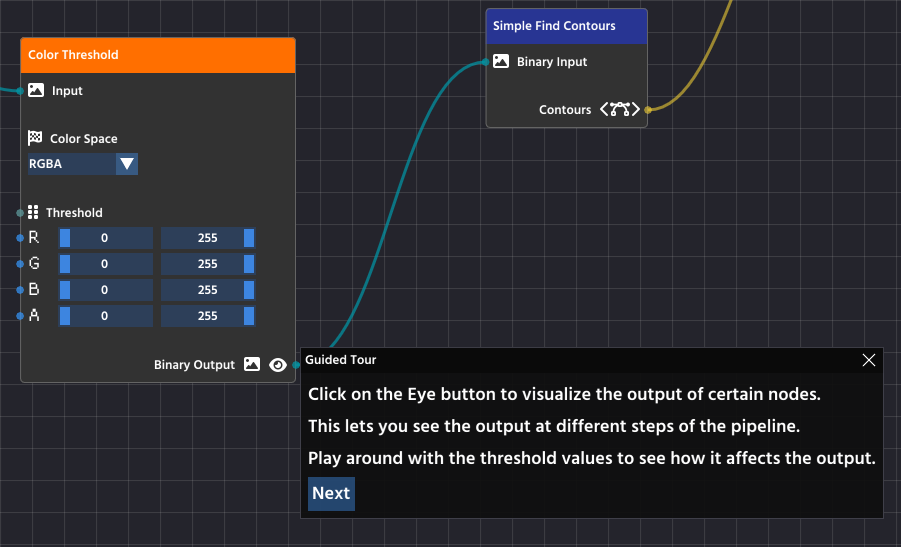
Learn about VisionGraph in the integrated guided tour.
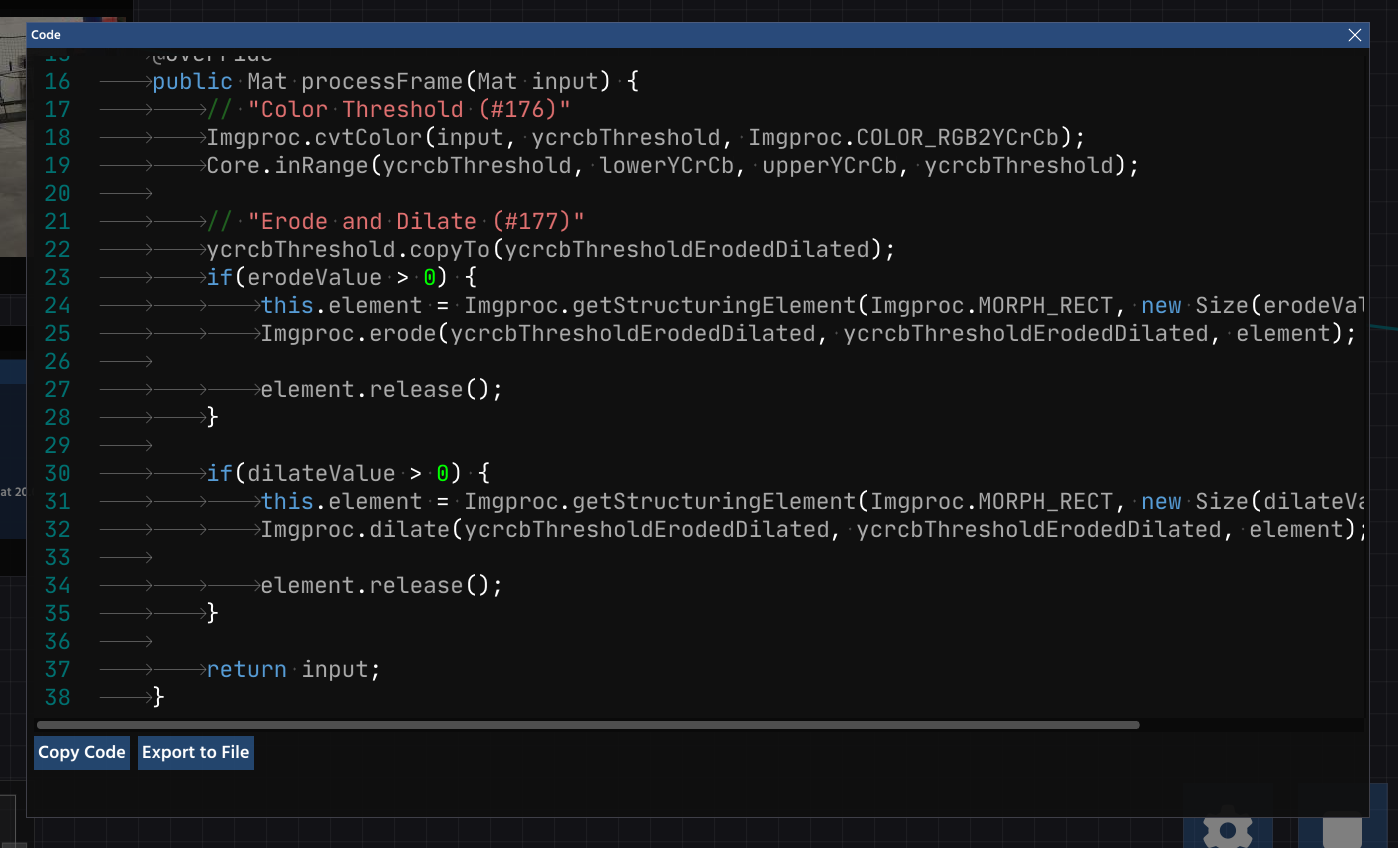
Generate clean, corresponding Java pipeline code.
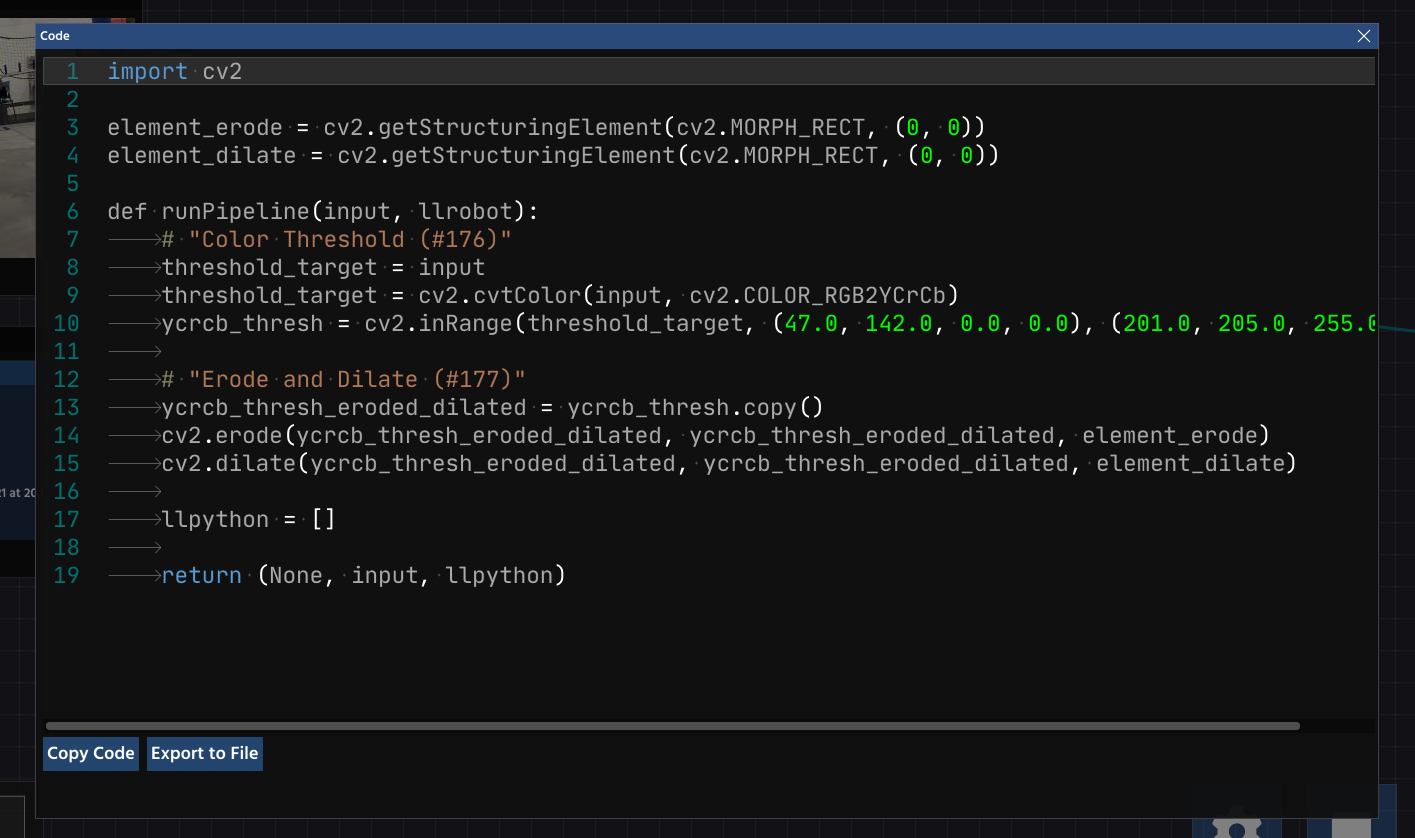
And Python too!
A Modern Toolkit for CV
From visual editing to live simulation.
Node-Based Pipeline Editor
Drag, drop, and connect nodes to intuitively build complex algorithms without manual boilerplate.
Real-Time Previews
Instantly see the output of every single node in your pipeline to debug faster.
Live Parameter Tuning
Allows you to adjust pipeline parameters in real-time.
One-Click Code Generation
Generates clean, corresponding Java & Python pipeline code for your project. Instantly transition from a visual prototype to production-ready code with zero manual transcription or translation errors.
extends OpenCvPipeline {
public Mat process(Mat input) {
/* Generated code... */
}
}
Custom Detections
Includes pre-built nodes for blob detectors, color thresholding, and more.
Supports All Input Sources
View images, recorded videos, or stream from webcams seamlessly within the UI.
Ready to build?
VisionGraph's main distribution is pre-bundled with VisionBench. Check the instructions below to get started.
Download Instructions