'%20/%3e%3c/svg%3e)
first steps, in code and vision
hello there!
This is Sebastian speaking — the main (and solo!) developer at deltacv. Since 2020, I’ve been active in the FIRST community after creating EOCV-Sim. During that time, getting physical access to a robot became difficult due to pandemic restrictions. I wanted to learn how to use OpenCV for our Ultimate Goal robot, but my only real option was the OpenCV Python API.
And, well, as all FIRST people know — our robots run on Java! It was possible to develop vision algorithms in Python and then translate them to Java later, since the APIs follow the same concepts. But that approach turned development into a slow loop of write → test → translate → debug → repeat.
Want to tweak a color threshold? Rebuild the code.
Want to test your pipeline with different input sources? Figure it out!
Of course, being a bored 14-year-old during a global lockdown was not easy, and when I saw people struggle to build their own ring detector pipelines, I had to put my Java skills to use.
eocv-sim’s inception
The problem? Every change to a pipeline meant deploying code to the robot, waiting for it to run, debugging on real hardware, and repeating the cycle. This made iterative development slow and frustrating, especially when access to a physical robot was limited.
The concept was simple: create a simulated environment where you can feed input sources (live camera, webcam, video file, image folder), apply your vision pipeline code, inspect the results in real time, tune parameters interactively — then once it works, copy-paste the pipeline onto the robot and go. No need to translate from Python to Java, or set up OpenCV on the desktop.
EOCV-Sim does exactly that: it replicates parts of the EasyOpenCV and FTC SDK vision infrastructure in a desktop GUI, so you can run the same code you would deploy on the robot.
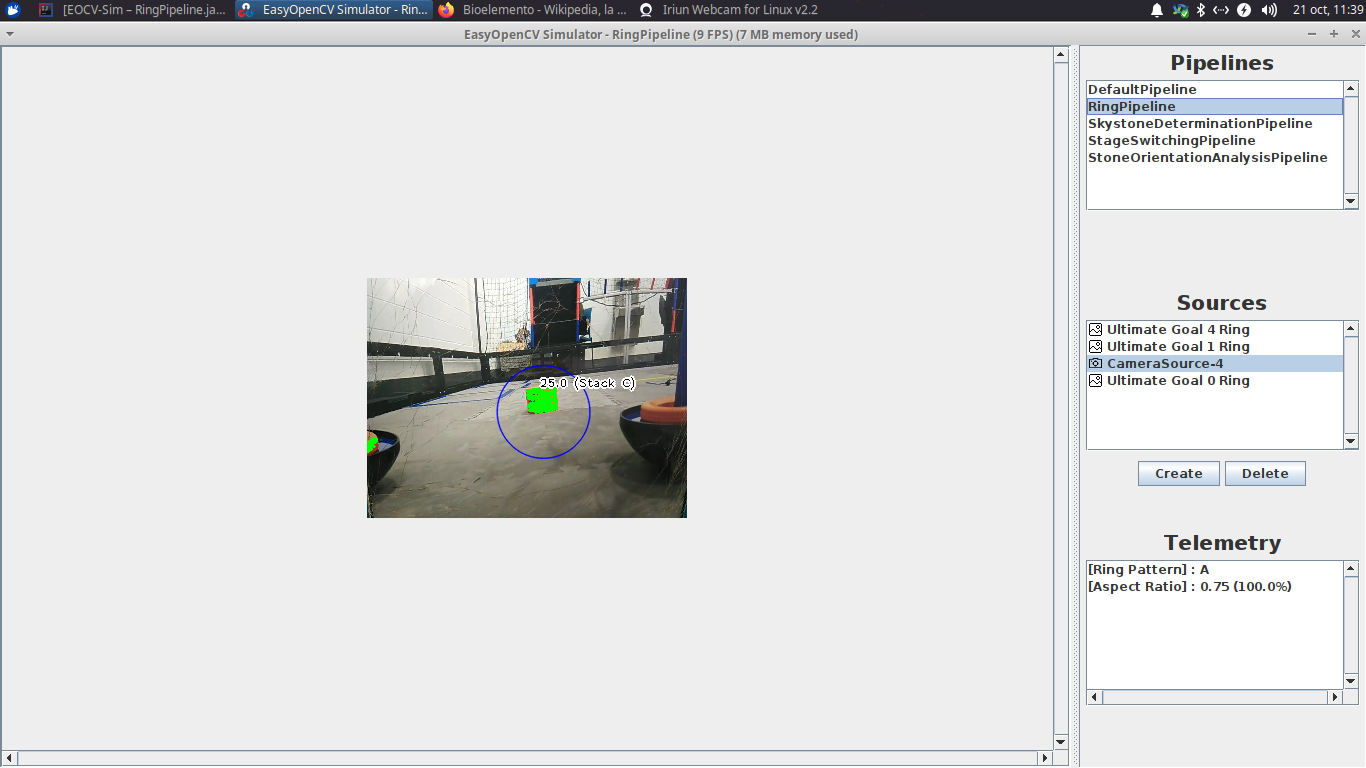
Over time, EOCV-Sim grew more capable and more polished. One feature that stood out was the variable tuner. It could adjust values in real time—even OpenCV primitives like Scalar—without restarting anything.
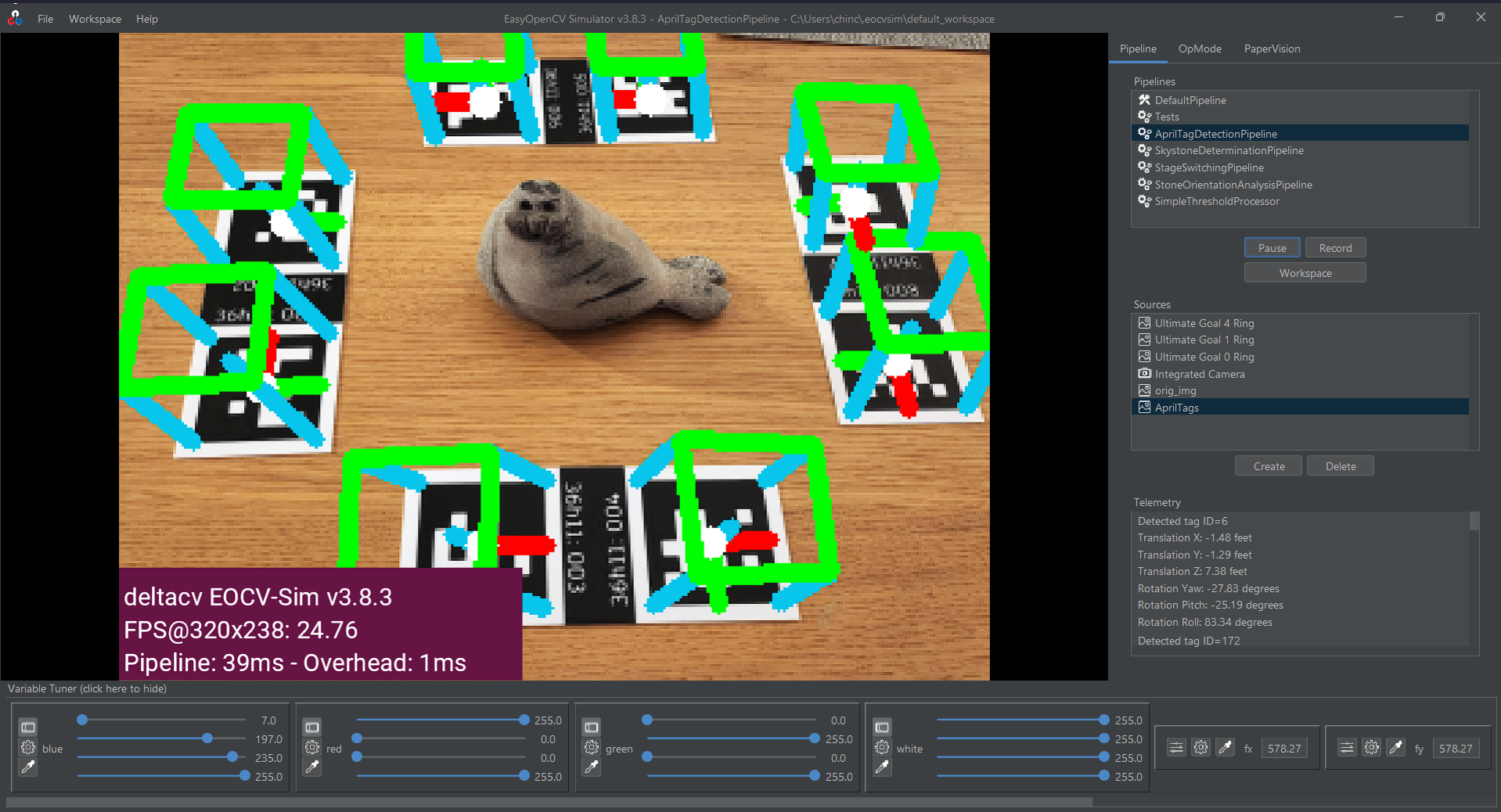
On top of that, workspaces turned the simulator into a standalone app that could compile and load pipeline code made of Java source files on the fly.
Suddenly, what once required long edit-compile-test-repeat cycles, could now happen almost instantly. The simulator started to feel like a live lab for building vision pipelines.
deltacv is born
At first, EOCV-Sim lived on my personal GitHub. Looking back, I made a rookie mistake: I committed the OpenCV native libraries directly into the repository.
These libraries are not small—and supporting three platforms meant shipping three sets of binaries.
Unsurprisingly, GitHub was not happy. Clone times grew fast, and it became clear that the project needed a clean start. So I created a new repository and moved the project away from my personal account.
By that point, I had worked with three different FIRST teams in my city. My rookie year was with Delta Robotics #9351, the team that sparked my interest in building and programming robots.
That is where the “delta” in deltacv comes from: Δ for change. You could say it hints at making a difference in the CV field—but honestly, I mostly thought the name sounded cool.
Pushing binary blobs to GitHub by accident may have been one of my best mistakes. Creating deltacv gave EOCV-Sim the push it needed to grow into something bigger.
vision… visualized?
Even after building strong tooling for OpenCV pipelines in Java, a few major problems remained.
the challenge of learning opencv in java as a rookie
- Memory leaks are easy to cause: Each
Matstores data outside Java’s managed memory. If you are not careful—even in a simple loop—you can consume memory while the garbage collector stays unaware. - The API is hard to follow: Computer vision concepts take time to learn, and the Java OpenCV API does not make it easier. It is not always clear which methods or parameters map to the technique you want.
- Documentation is limited: The official Java OpenCV docs often miss key details. Many times you must search for example code online just to understand how a method behaves. Most examples are written in Python.
- Boilerplate overload: Even small changes require repeated code for managing
Matobjects or applying operations.
That was my experience while learning OpenCV. Even after building early versions of EOCV-Sim, I still lacked a clear view of how to design a full vision pipeline.
WPILib’s GRIP helped make the learning curve easier. The Java code it produced was not great, but the tool did one thing well: it showed core computer vision steps in a visual way.
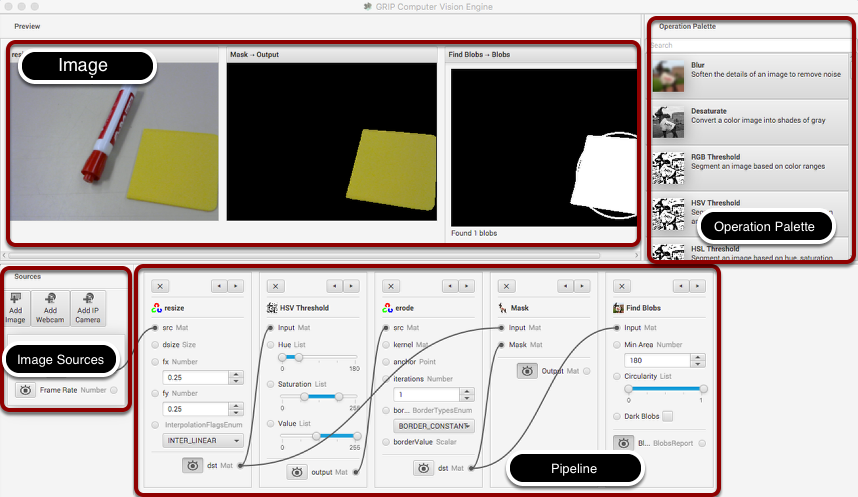
I have never been a fan of visual programming tools. Blocks in FTC, for example, can turn complex ideas like field-centric drive or odometry into a mess of unreadable, composed blocks of trigonometry.
Still, vision pipelines work well in a node graph. The node flow mirrors the real image pipeline: each step takes the output from the last one, transforms it, and passes it forward.
You can see the logic of the pipeline unfold, tweak parameters, and understand how each OpenCV function affects the final result.
GRIP removed many pain points from working with OpenCV in Java. It broke the process into clear steps and let users focus on learning how to build a pipeline.
By 2021, though, GRIP had mostly become abandonware. The last alpha builds crashed often, which made the tool hard to use (the last commit was made 4 years ago!).
That situation made sense in the context of the FRC ecosystem. Few teams wrote OpenCV pipelines directly, most of the community moved to co-processors such as Limelight or PhotonVision, both of which offer web interfaces that cover most in-season needs.
moving forward with PaperVision
After GRIP faded away, the idea of building something similar—but modern, flexible, and stable—stayed in my mind.
I did not want a tool that only showed how vision works. I wanted one that could teach it while still giving developers control over their code.
Something open source, maintained, and easy to approach, much like EOCV-Sim.
That idea grew into PaperVision.
The first commit happened in October 2021, but
v1.0.0 did not release until November 2024 — three full years later.
Life and high school played a role, of course. But the project also stalled when I ran into limits in my own knowledge.
Building a full vision node editor introduces many design problems. Solving them alone takes time. Getting stuck on one problem for too long often slowed my progress and motivation on the project.
Even now, I would not call myself a seasoned developer—especially when it comes to structuring something close to a full software project. So, when PaperVision began, I wanted the foundation to be solid. I spent time thinking about how the core systems would fit together and how the project could scale later.
I chose Kotlin as the main language. I already knew it well, and its syntax and language features fit the system I wanted to build.
That decision paid off: the entire internal code-generation API uses Kotlin DSLs, which makes it easy to create new vision nodes.
Looking back, it is funny how everything connects.
EOCV-Sim began as a quick fix for a very specific problem. Now I am building something that solves the same problem at a much larger scale.
PaperVision feels like the tool I wish I had when I first learned OpenCV — a mix of visual clarity and code freedom.
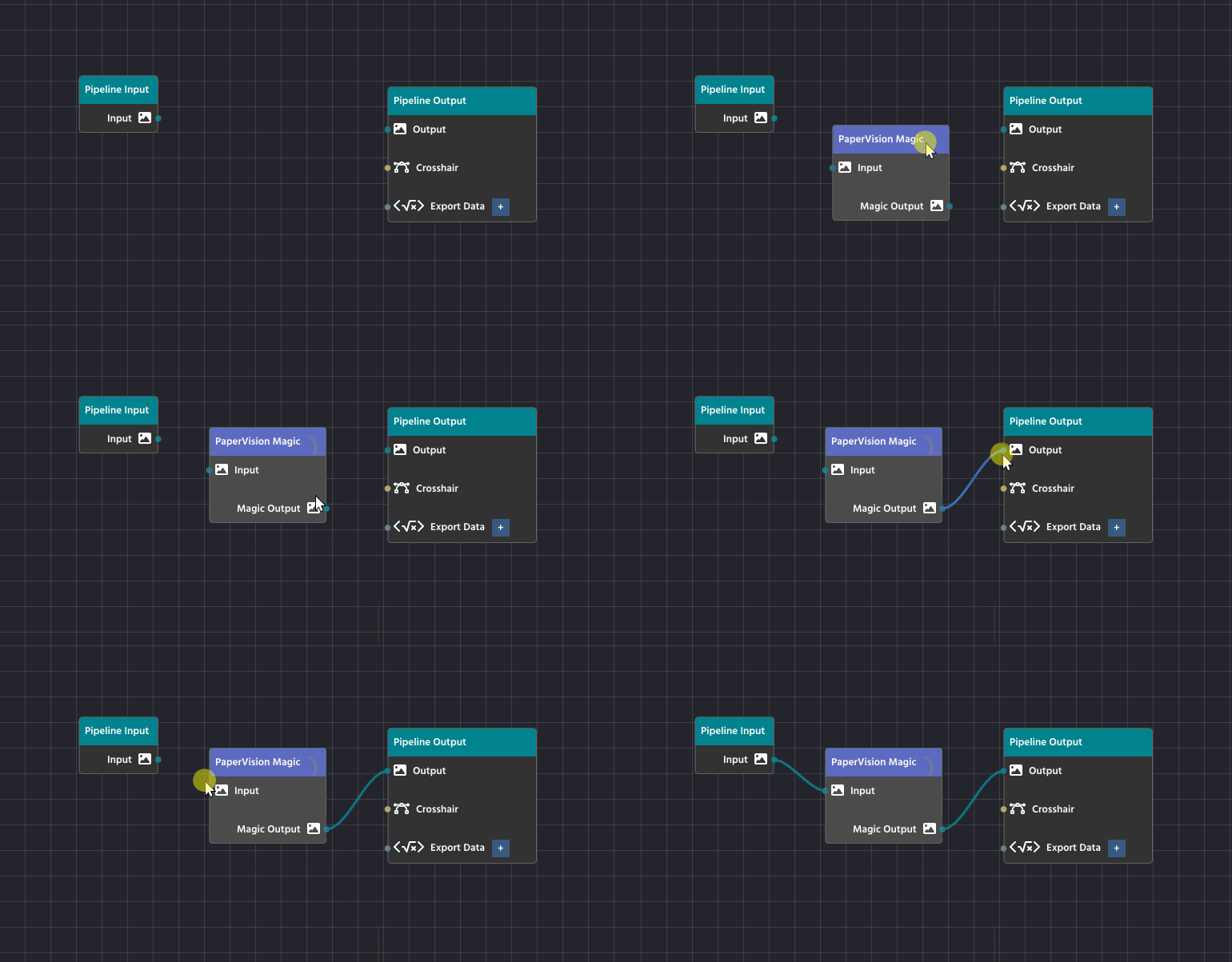
If EOCV-Sim was about learning how to build vision tools,
then PaperVision is about learning how to see with them.
More on that soon.